
VOID BALLISTICS
Warframe damage & DPS calculator — weapon builds, armor scaling, faction matchups
Weapon
Enemy
Damage Result
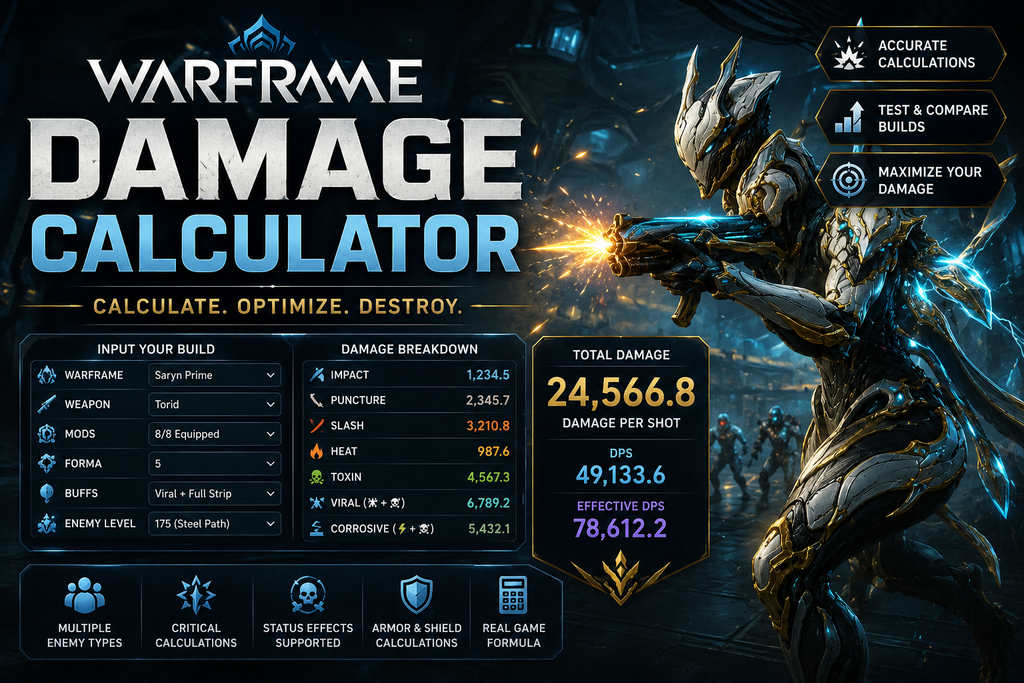
Warframe Damage Calculator
Damage in Warframe can get complicated when you start combining weapons, mods, abilities, critical hits, status effects, and enemy defenses. With so many different factors affecting the final result, it isn’t always easy to tell which build will actually perform better just by looking at the in-game stats.
A Warframe damage calculator makes it easier to test different setups and compare their results. You can enter your weapon, mods, stats, bonuses, and target to get a better idea of how your build performs.
Whether you’re working on a new weapon build, preparing for tougher enemies, or simply trying to improve your current setup, a calculator can save you plenty of trial and error.
How to Use the Warframe Damage Calculator
Getting started is simple. Choose the weapon or ability you want to test, then enter its relevant stats, mods, and bonuses. You can also select the enemy you’re fighting and add details such as its level, armor, shields, or other defenses if the calculator supports them.
Once everything is entered, you’ll get an estimated damage result that you can use as a starting point for comparison.
You can then experiment with different mods, weapons, elements, or buffs and see how each change affects the outcome. For the clearest results, change one thing at a time. That way, you’ll know exactly which part of your build is making the difference.
What Factors Affect Warframe Damage?
Warframe damage depends on much more than a weapon’s base damage. Several parts of your loadout can affect how much damage you deal and how consistently you deal it.
Some of the main factors include:
- Weapon base damage
- Mods and their bonuses
- Critical chance
- Critical damage
- Multishot
- Fire rate
- Elemental damage
- Faction bonuses
- Enemy armor and shields
- Status effects
- Warframe abilities
- Buffs and debuffs
- Enemy level
- Attack type
These factors can work together in different ways. A build with a lower damage number on paper can sometimes perform better overall because it has stronger critical stats, multishot, fire rate, or useful status effects.
Understanding Weapon Damage
Every weapon has its own strengths and weaknesses, so two weapons with similar stats can feel very different in actual combat.
Base damage is only the starting point. Mods can increase damage, improve critical stats, add multishot, change elemental damage, or provide other bonuses that affect performance.
When comparing weapons, don’t look at a single number and assume it tells the whole story. Consider how the complete build performs against the enemies you actually want to fight.
This is where a calculator can help. Keep your mods and target the same, switch between weapons, and compare the results directly.
Critical Hits and Critical Damage
Critical hits can make a big difference to your damage output. Weapons with good critical stats can produce much larger damage numbers when they land critical hits.
That doesn’t mean every weapon should use a critical-focused build, though. If a weapon has weak critical stats, investing heavily in critical chance or critical damage may not be the most effective option.
Testing different configurations with a calculator can help you see whether a critical-focused setup is actually improving your weapon or whether another approach works better.
Multishot and Fire Rate
Multishot and fire rate are also important when judging a weapon’s overall performance.
Multishot can give an attack additional projectiles, while fire rate determines how quickly the weapon can attack. Neither stat necessarily makes the damage of one individual projectile look dramatically higher, but both can have a big impact on how much damage you deal over time.
For this reason, don’t judge a build only by its biggest single-hit number. Think about how quickly and consistently the weapon can deal damage during an actual fight.
Elemental Damage and Status Effects
Elemental damage is another major part of Warframe builds. Different elemental combinations can change the type of damage your weapon deals and can also apply useful status effects.
The most effective setup can depend on the enemy you’re fighting. A combination that works well against one type of enemy may not perform as well against another.
Using a calculator to compare different elemental setups can help you find an option that makes sense for the enemies you’re planning to face.
Enemy Armor and Defenses
The damage shown by your weapon isn’t necessarily the amount that will reach the enemy. Enemy defenses can have a major effect on your final damage.
Armor, shields, health, resistances, and other defensive mechanics can all influence the result. Because of this, a weapon that performs well against one target may produce very different results against another.
When testing a build, try to use a target that closely matches the enemies you expect to fight. This gives you a more useful comparison than testing everything against a generic enemy.
Comparing Different Mod Builds
One of the most useful things you can do with a Warframe damage calculator is compare different mod setups.
You may have several mods that could work in the same build, but it isn’t always obvious which combination gives you the best overall performance. Instead of constantly swapping mods and testing them in missions, you can compare the setups first.
Keep the weapon and enemy the same, then test each configuration. This makes it easier to see which mods are actually improving your damage and which ones have a smaller impact.
Warframe Abilities and Buffs
Warframe abilities and temporary buffs can change how a weapon performs. Depending on the setup, they may increase damage, improve critical stats, reduce enemy defenses, or provide other useful effects.
If your calculator supports these bonuses, include them when testing your build. This gives you a better idea of how your weapon performs as part of your full loadout rather than on its own.
It’s also worth testing your build both with and without important buffs. That comparison can show how much of your damage depends on a particular ability or bonus.
Comparing Weapons for Different Missions
There isn’t a single weapon or build that will be perfect for every situation. The enemies you’re fighting, mission type, and your playstyle can all affect which setup makes the most sense.
A fast weapon might be great for clearing groups, while another weapon could be better suited to tougher individual targets. Some builds may also rely more heavily on critical hits, while others benefit from status effects or elemental combinations.
A damage calculator lets you compare these situations before deciding on your final loadout. Test your weapons against the enemies you’re most likely to encounter and choose the setup that fits the situation.
How to Improve Your Damage
If you’re trying to improve a build, avoid changing everything at once. Start with your current setup and make one adjustment.
Try swapping a mod, changing your elemental combination, improving a relevant stat, or adding a useful buff. Then compare the new result with your original setup.
This makes it much easier to understand what is actually helping your build. It can also prevent you from spending time and resources on changes that provide very little improvement.
Why Use a Warframe Damage Calculator?
The biggest advantage of a Warframe damage calculator is that it makes build testing faster and easier. Instead of spending a lot of time experimenting in missions, you can compare different setups before putting them into practice.
You can test weapons, mods, critical builds, elemental combinations, buffs, and enemy matchups to see how they affect your results.
A calculator is best treated as a planning tool rather than a guarantee of what will happen in every mission. Real gameplay also involves movement, enemy groups, ability timing, positioning, ammo, and other factors that aren’t always reflected in a damage calculation.
Final Thoughts
A Warframe damage calculator is a useful way to experiment with weapons, mods, abilities, and different builds without relying entirely on guesswork. It lets you compare setups and see how individual changes affect your damage.
Whether you’re optimizing a favorite weapon or preparing for tougher enemies, test one change at a time and compare the results. Then take the build that looks promising into an actual mission and see how well it works in real gameplay.
Frequently Asked Questions
Yes. Mods can affect damage, critical chance, critical damage, elemental damage, multishot, fire rate, and several other parts of a weapon’s performance.
Yes. Enemy defenses can significantly change how much damage actually gets through, which is why selecting the right target is important when comparing builds.
Not necessarily. Single-hit damage is only one part of a weapon’s performance. Fire rate, multishot, critical chance, status effects, and consistency can all matter when you’re looking at overall effectiveness.